How do I connect my website to WhatsApp, my CRM and my calendar?
Decide which system holds the one true record of each customer first. Then connect everything else to it, in this order.
TL;DR
Decide first which system holds the one true record of each customer, usually your CRM or your booking tool, and make everything else write to it. A click to chat link joins your website to the WhatsApp app for free. Automatic WhatsApp replies and reminders need Meta's WhatsApp Business Platform, which has its own rules and costs.
Last updated 24 September 2026. Written by Oyekola Obajuwon, founder of Growveloper, who builds the website, the marketing and the follow up for owner run businesses in Nigeria, the United States and the United Kingdom.
Decide first which system holds the one true record of each customer, usually your CRM or your booking tool, and make everything else write to it. A click to chat link joins your website to the WhatsApp app for free. Automatic WhatsApp replies and reminders need Meta's WhatsApp Business Platform, which has its own rules and costs.
Most guides start with the wiring. The wiring is the easy part. The part that decides whether it works is the question almost nobody asks first.
Who can connect my website to WhatsApp, my CRM and my calendar?
You can do the simple version yourself this week. The connected version, where a form, a WhatsApp chat and a booking all land in one place without anyone copying them, is a job for a developer or an automation builder.
The simple version is three separate links: a WhatsApp button on your website, a booking page from your calendar, and a form that emails you. Each one works. None of them knows about the others, so you become the connection, copying names from WhatsApp into a spreadsheet at ten at night.
The connected version is the same three doors, each one writing to a single record of the customer. That is what this page is about, and it starts with a decision, not a tool.
Which system should hold the record of each customer?
One of them has to be the keeper of the truth, and it has to be chosen on purpose.
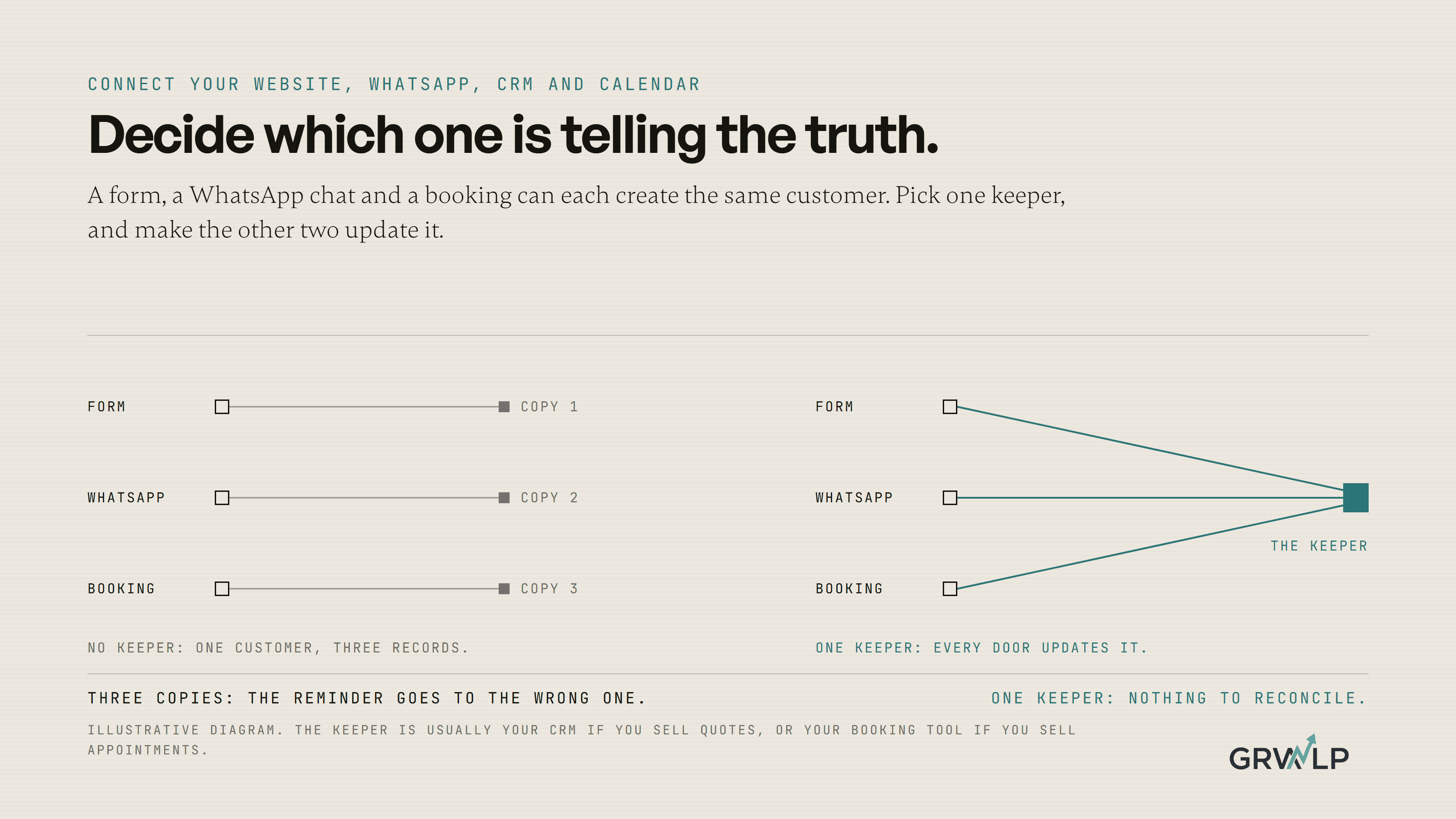
Here is the symptom of not choosing. A customer fills in your form, which creates a contact in your CRM. They then book through your booking link, which creates a second contact. Then they message you on WhatsApp from a slightly different number, and now they exist three times, with three histories, and the reminder goes to the one they no longer check.
The fix is a rule you write down before anything is connected: this system is where a customer lives, and every other system either creates the customer there or updates the one that already exists.
For most service businesses the choice is simple. If your work is booked in slots, such as a clinic, a trainer or a salon, the booking tool is often the natural keeper, because the appointment is the thing that matters. If your work is quoted, such as a roofer, a cleaner or a solar installer, the CRM should be the keeper, because the quote and its follow up are the thing that matters. Either can work. Two keepers never does.
WhatsApp Business app or the WhatsApp Business Platform?
This is the real fork, and most pages skip straight past it.
The WhatsApp Business app is the free app on your phone. You can give it a business profile, a catalogue and quick replies, and your website can open a chat with it using a click to chat link. What it cannot do is connect to your CRM or send messages automatically when something happens somewhere else.
The WhatsApp Business Platform is Meta's service for businesses that want software to send and receive WhatsApp messages. Meta's page about the platform says it is written for developers using its APIs, and that a business needs three things to use it: a business portfolio, a WhatsApp Business Account and a business phone number. Many small businesses reach it through a provider that handles the set up, or through a CRM that connects to it.
So the honest question is not "how do I connect WhatsApp". It is "do I need WhatsApp to do things by itself?" If you are happy to reply by hand from your phone, the app and a click to chat link are enough. If you want a form submission to trigger a WhatsApp reply, or a booking to trigger a reminder, you need the Platform.
What is the WhatsApp 24 hour rule?
It decides what you are allowed to send automatically, and when.
When a customer messages your business, Meta's pricing page explains that a 24 hour customer service window opens. Inside that window you can reply freely, and ordinary messages are free. Once 24 hours have passed since the customer last wrote, you can only start a conversation with a template: a message written in advance and approved by Meta.
Since 1 July 2025, Meta charges per delivered template message. Ordinary replies are free, and utility templates, the kind that confirm a booking or send an update, are free when they are sent inside an open window.
Here is what that means in practice. A confirmation sent the moment a customer messages you costs nothing and can say whatever you like. The same reminder sent the evening before their appointment, three days later, has to be a pre approved template and is charged. Neither is a problem. Both are worth knowing before someone promises you "automatic WhatsApp reminders" as if they were free text messages. The current rates are published on that same pricing page, and they are worth checking before you plan a reminder for every booking.
Do customers have to agree to get WhatsApp messages from me?
Yes, before you message them first. Meta's page on getting opt in sets three requirements: you must state clearly that the person is opting in to receive messages, name the business they will come from, and follow the law where you operate.
The easiest place to collect it is the form on your website. Add a tick box that says, in plain words, that your business name will send booking updates and replies on WhatsApp to the number given. Store that tick in your record keeper with the date. It is a small thing to build now and a painful thing to reconstruct later.
How do I connect my calendar?
Pick a booking tool that can tell other systems when a booking happens.
Google Calendar has appointment schedules that give you a booking page based on your real availability, and Google's help says some of its features need an eligible Workspace or Google One subscription. Dedicated tools such as Cal.com or Calendly can send a notice to another system the moment someone books, which is what lets the booking create or update the customer in your CRM rather than sitting in a calendar on its own.
Whichever you use, apply the rule from earlier. If the CRM is the keeper, the booking must update the existing customer, matched on email or phone, not create a new one.
In what order should I connect everything?
Five steps, in this order, and test each before starting the next.
1. Name the record keeper
Write it down: the CRM or the booking tool. Every later step either writes to it or reads from it.
2. Point the website form at the record keeper
The form creates or updates the customer there, with the opt in tick, and alerts you on your phone at the same moment. We set out the alert part step by step in how to automate lead follow up.
3. Add a click to chat link
WhatsApp's help centre explains click to chat: a link that opens a WhatsApp chat with your number, with an optional message already typed in. It costs nothing and works with the free app. Prefill the message with the page it came from, so you know what they were looking at.
4. Connect the booking tool
Every booking updates the customer in the record keeper, matched on email or phone, and adds the appointment to their history.
5. Only then, automate WhatsApp
With the Platform in place, a new form submission can send a confirmation, and a booking can send a reminder by template. Write the templates in plain words, get them approved, and test them on your own phone first.
The four connections, the simple version and the connected version
| Connection | Simple version, free | Connected version |
|---|---|---|
| Website to WhatsAppNeeds the Platform and an opt in | A click to chat link | A form that triggers a WhatsApp reply |
| Website to CRMMatching on email or phone | A form that emails you | A form that creates or updates the customer |
| Calendar to CRMTwo systems both creating customers | A booking page | Each booking updates the customer |
| CRM to WhatsAppThe 24 hour rule and template charges | You message by hand | Reminders sent by template |
What did we learn connecting a Lagos business that ran on WhatsApp?
That sometimes the answer is to stop WhatsApp being the record.
RideOn Nigeria is a premium chauffeur and car rental service in Lagos, with an owner managing it from Canada. When we started, there was no application. Customers booked through WhatsApp. Drivers signed up through a basic form on a static website. The partners who supplied vehicles had no portal, and the admin team worked from spreadsheets and chat threads.
Every booking lived in a chat, which meant the truth about any booking was wherever somebody last scrolled to. Connecting that chat to a spreadsheet would have copied the mess faster.
So the booking became the record. We built one platform with four portals: customers saw their booking history, upcoming trips and messages; drivers managed their availability and earnings; partners managed their fleet; the admin team oversaw every user, booking and vehicle, with booking status tracking and notifications throughout. The RideOn Nigeria case study tells the full story. When the app launched, drivers and customers started using it without any marketing push, and the owner could run the operation from Canada through one dashboard.
WhatsApp did not disappear from the business. It stopped being the filing cabinet. That is the lesson, whether your answer is a custom platform or a CRM and a booking tool: the conversation can happen anywhere, but the record has to live in one place.
What usually breaks?
Three things, and each one is predictable.
Duplicates, when two systems both create customers. Fix it with the record keeper rule and by matching on phone or email.
Messages that never send, because a reminder was written as ordinary text but went out after the 24 hour window closed, when only an approved template is allowed.
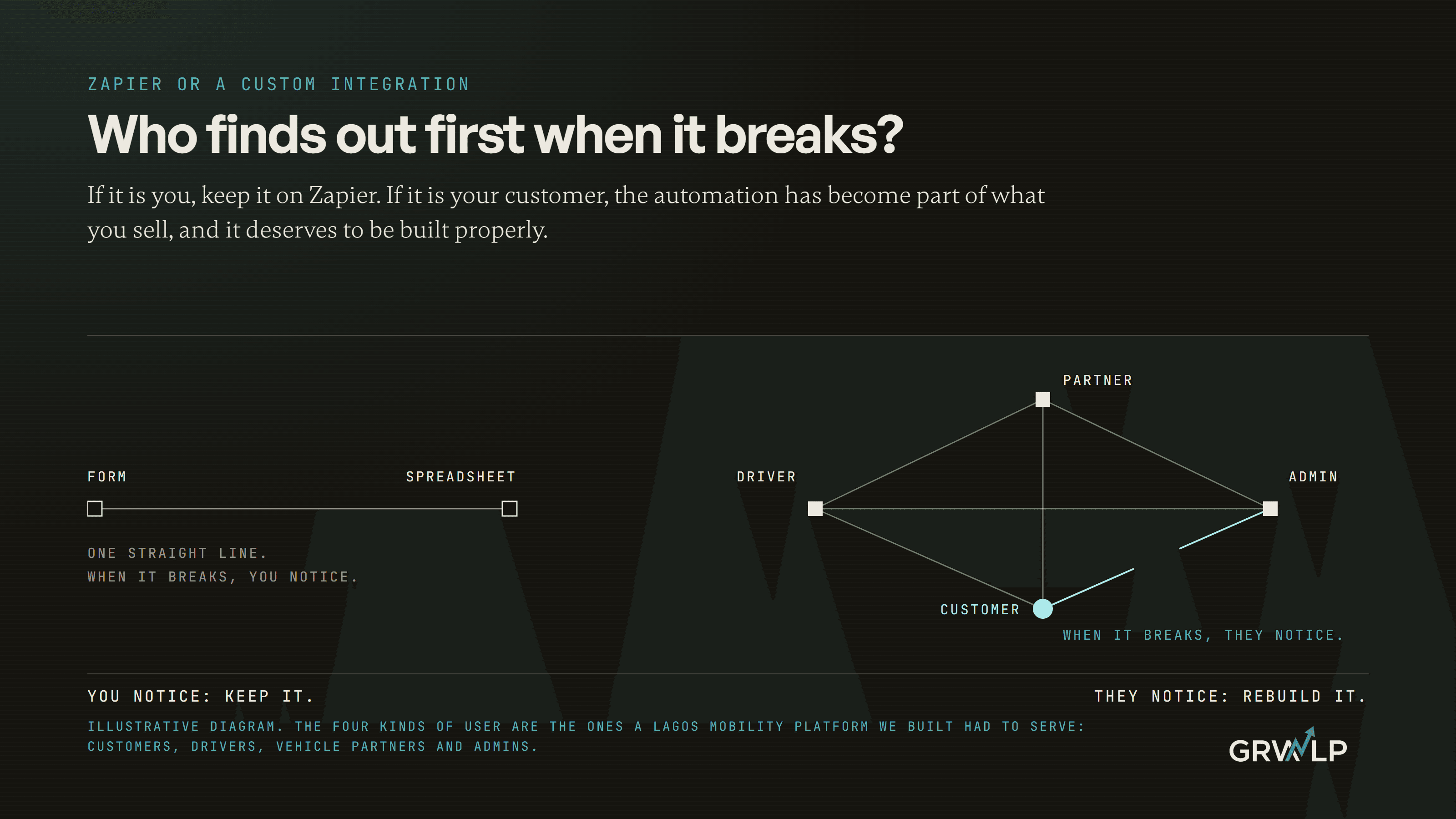
Silent failures, where a connection stops and nobody notices until a customer asks why they never heard back. Every connection should alert a person when it fails, which is the same point we make about Zapier in Zapier or a custom integration: the question is who finds out first when it breaks.
What does it cost to have this built?
Two costs, and only one of them is the build.
The build depends on how many doors and rules are involved. Our AI and automation page publishes how we scope it: a single workflow takes one to four weeks, and each ships with failure alerts and documentation. The second cost is running it: the CRM and booking tool subscriptions, any provider fee for WhatsApp, and Meta's charge per delivered template. Ask whoever quotes you to write down both.
The bigger reason to do it is not the hours saved on copying. It is the enquiries that stop going missing between the chat and the calendar, which is the problem we describe in why nothing connects without an integration layer.
Who can do this for me?
A developer or an automation builder who asks about your record keeper before they ask about tools. If the first question you hear is which app to buy, keep looking.
Connecting a website, WhatsApp, a CRM and a calendar is part of what our AI and automation service builds for businesses in Nigeria, the US and the UK, and we should say so plainly because it colours the advice. There is a free call if you want to talk it through. But you can do step one tonight without anyone: write down which system is the keeper of your customers. Once that sentence exists, every connection after it has somewhere to point.
“Connecting four apps is easy. Deciding which one is telling the truth is the actual job.”
Written by Oyekola Obajuwon