How do B2B companies get leads from LinkedIn ads?
How business to business companies get leads from LinkedIn ads, what a lead costs, what a small budget buys, and where the leads go.
TL;DR
B2B companies get leads from LinkedIn ads by targeting buyers by job title and company, then catching them with LinkedIn's own lead form, which fills in their details for them. For a small company it works when the audience is big enough, one customer is worth many times a lead, and every lead reaches a person the same day.
Last updated 23 October 2026. Written by Oyekola Obajuwon, founder of Growveloper, a growth studio that builds the website, the marketing and the follow up for owner run businesses in the United States, the United Kingdom and Nigeria.
B2B companies get leads from LinkedIn ads by targeting buyers by job title and company, then catching them with LinkedIn's own lead form, which fills in their details for them. For a small company it works when the audience is big enough, one customer is worth many times a lead, and every lead reaches a person the same day.
B2B means business to business: you sell to other companies, not to the public. LinkedIn is the ad platform where you can ask for your ad to be shown only to, say, operations managers at logistics firms of a certain size, and it knows who they are. That is why B2B owners keep being told to try it.
Most guides stop at the targeting tips. The parts that decide whether it works for a small company are less exciting: whether there are enough of your buyers on LinkedIn, whether your budget buys leads fast enough to learn anything, and whether the leads ever leave LinkedIn and reach a person.
How do LinkedIn ads actually produce leads?
You pick who sees the ad. LinkedIn's targeting works from what people put on their profiles, such as company, job experience and education, so you can aim at job titles, seniority and job function rather than guessing from interests.
The ad sits in their feed. When someone clicks it, one of two things happens. Either they go to a page on your website and fill in your form, or a LinkedIn Lead Gen Form opens inside LinkedIn with their name, job title, company and email already filled in from their profile. They check it and press submit. LinkedIn charges nothing extra for the form itself, only for the ads.
That second path is the one LinkedIn built for lead generation, and its advantage is effort. Typing your details on a phone is work. Pressing submit on a form that is already filled in is not.
Lead form or landing page: which gets more leads?
The form, by a wide margin, in the one benchmark we found that publishes its sample. Metadata's 2026 B2B benchmark looked at 153 B2B advertisers and $57.6M of their 2025 spend, with sales pipeline data from the customer records of 90 of them.
LinkedIn lead form against landing page, 2025
| Where the click goes | Cost per lead | Pipeline per $1 spent |
|---|---|---|
| LinkedIn lead form | $193 | 9.3x |
| Your landing page | $346 | 5.3x |
Pipeline here means the value of sales opportunities the company's customer records credit to a lead from the ads. So the cheaper leads were not worse leads in that sample. Two things to keep in mind. Metadata sells B2B ad software, so it is a vendor writing about its own customers. And those customers are big: $57.6M across 153 advertisers is about $376,000 each for the year, by our arithmetic. A five person firm will have its own numbers.
How you build the form matters as much as choosing it. LinkedIn's own form settings allow up to 12 fields and up to three custom questions. Metadata's advice is "three to five fields, autofill on, one qualifying question", and that matches what we would do: name, work email, company, and one question that tells you whether they can buy, such as their timeline or team size.
There is also a switch called Validate work email. It blocks common free email addresses like Gmail and Yahoo. LinkedIn's page is honest about the trade: it might improve the quality of leads, but fewer people may submit. Turn it on if personal addresses are wasting your follow up time, and leave it off if your buyers are owners who run their business from a personal email account.
Is your audience big enough for LinkedIn ads?
Check this before you spend anything, because it is free. As you choose targeting in Campaign Manager, LinkedIn shows an estimate of how many people you can reach.
LinkedIn's audience size page says it plainly: "The minimum audience size required for an ad set is 300 member accounts, but we suggest a minimum of 50,000 to drive results." For Sponsored Content, the ads in the feed, it suggests at least 300,000. Location is a required part of every audience.
Those suggestions are where small B2B companies first hit a wall. Sell accounting software to construction firms in the UK and you may clear 50,000 easily. Sell a specialist service to procurement heads at manufacturers in Nigeria and the estimate may come back far smaller. That does not mean LinkedIn cannot work. It means each lead will cost more, and LinkedIn's own advice is to start broad and narrow down after you see who responds.
What can a small budget buy on LinkedIn?
The floor is low. LinkedIn's budget guide says "The minimum daily budget amount required to start on LinkedIn is $10, for any ad format." A new campaign needs at least $100 in total, and LinkedIn suggests $25 a day for new advertisers.
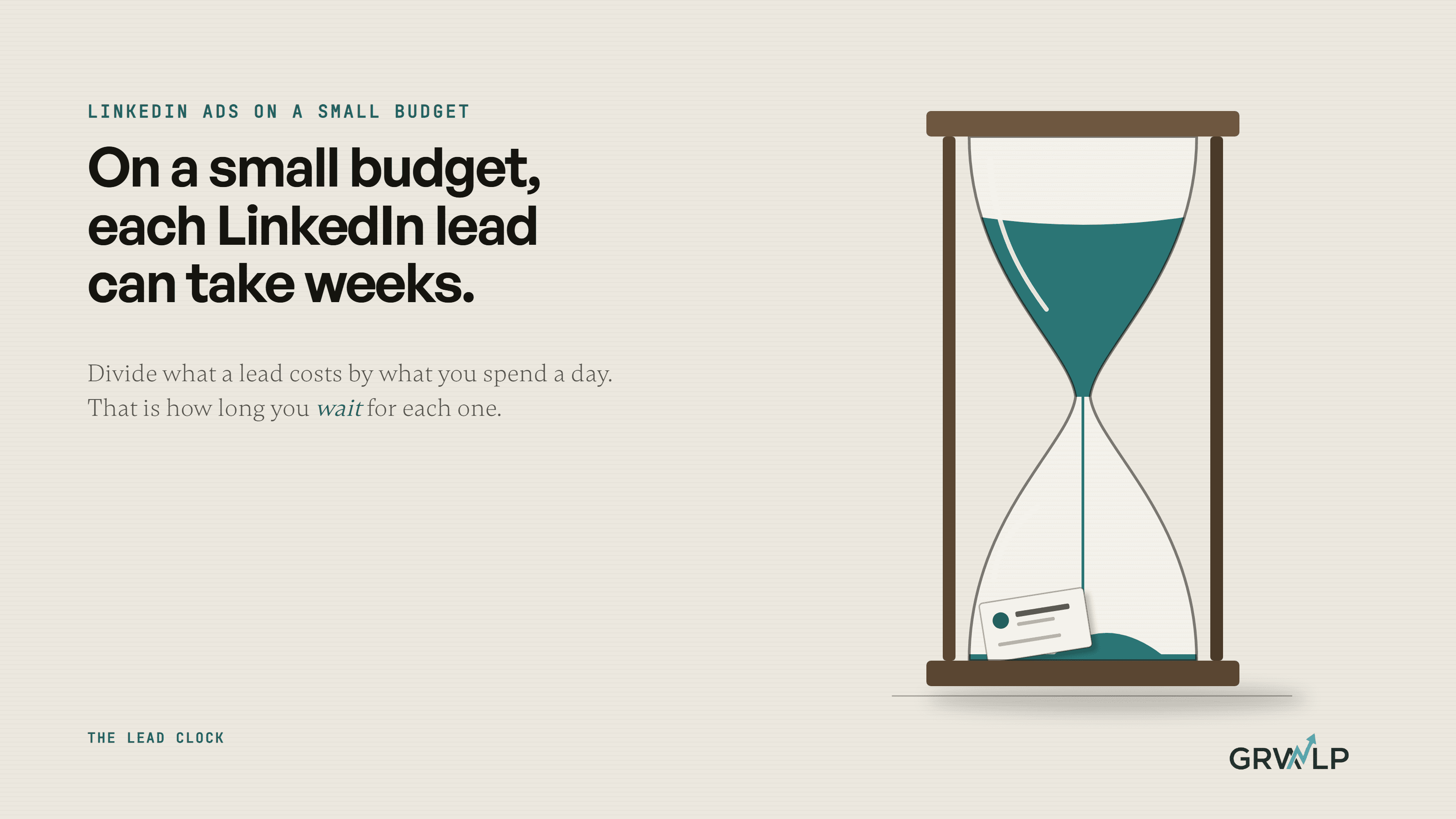
What that buys is a different question, and the way to answer it is one division. We call it the lead clock: divide what a lead costs by what you spend a day, and the answer is how many days you wait for each lead.
At the $193 a form lead cost Metadata's advertisers, $10 a day buys a lead about every 19 days. At $25 a day, about every 8 days. Your cost per lead may be lower or much higher. The point is the shape of it. A month at the minimum might hand you one or two leads, which is not enough to learn whether the ads work, the targeting is right or the offer lands.
So before spending, work out the most a lead is worth to you: what one customer brings in, and how many leads out of ten usually become customers. If one customer is worth many times the cost of a lead, LinkedIn can pay even at slow speed. If it is not, the clock will run out before the ads prove anything. Our marketing page promises marketing that proves its own return, and this sum is where proving it starts.
Where do LinkedIn leads go after someone fills in the form?
Into Campaign Manager, LinkedIn's ad dashboard, until you send them somewhere else. LinkedIn's help page gives two ways to get them out: download them from Campaign Manager as a spreadsheet file, or connect the form to your customer records system or email tool so each lead flows across on its own. It also lets you send a test lead to check the connection works. Do that before launch, not after the first real lead goes cold.
How long LinkedIn keeps them is a good example of why to read the source. LinkedIn's 2017 guide to lead forms said "To protect our members’ data, we delete all lead data after 90 days." Some guides still repeat it. The current help page, updated last month, says "Collected member profile data can only be stored for one year because of our member privacy policy." Either way, the number that matters is yours. A B2B buyer who asked about your service on Monday and heard nothing until Friday has had four days to speak to someone else. Our guide to automating lead follow up covers the reply.
The connection has a second payoff. LinkedIn's conversion tracking page describes CRM Sync: once your customer records are connected through LinkedIn's Business Manager, it can create conversions from your leads and qualified leads. In plain terms, LinkedIn can learn which of its leads your team marked as qualified, not just which ones pressed submit. That only works if a simple CRM exists and someone marks the good ones.
When is LinkedIn the wrong first channel for a B2B company?
When the buyer is already searching for what you sell. Someone who searches Google for IT support for their office has told you what they want; someone scrolling LinkedIn has not. For a small budget, search usually comes first, and LinkedIn earns its place when you need to reach people who are not searching yet.
When there is nowhere for the lead to land. Baye Business Solutions, a cloud services company in Lagos with about 25 employees, had real clients and expertise but no analytics, no Google tracking and no intake forms when the rebuild in that case study began. The work started with a full audit, not ads. Pointing LinkedIn at that site would have paid for clicks that left no trace.
And when the goal is volume. The paid media I ran at VIP Creative Studio for its credit union clients was on Google and Meta, not LinkedIn, but the lesson carries. Its CEO, Victor Provencio, described the change afterwards: "We moved from volume-driven tactics to an intentional, high-intent approach: better targeting, cleaner campaign structure, and a sharper focus on conversion quality." On LinkedIn, with a small budget, it is the only approach that makes the lead clock worth running.
If you sell to other businesses, our B2B page sets out how we put the site, the ads and the follow up together, and a free call is the quickest way to run your own numbers through the lead clock.
LinkedIn ads work for small B2B companies that do the sums first. Know your audience size, know how many days each lead will take, and make sure the first one reaches a person before the second one arrives.
“Divide what a lead costs by what you spend a day. The answer is how many days you wait for each lead.”
Written by Oyekola Obajuwon
LinkedIn ads · B2B lead generation · LinkedIn lead gen forms · LinkedIn ads budget · LinkedIn audience size · cost per lead · small business · B2B marketing