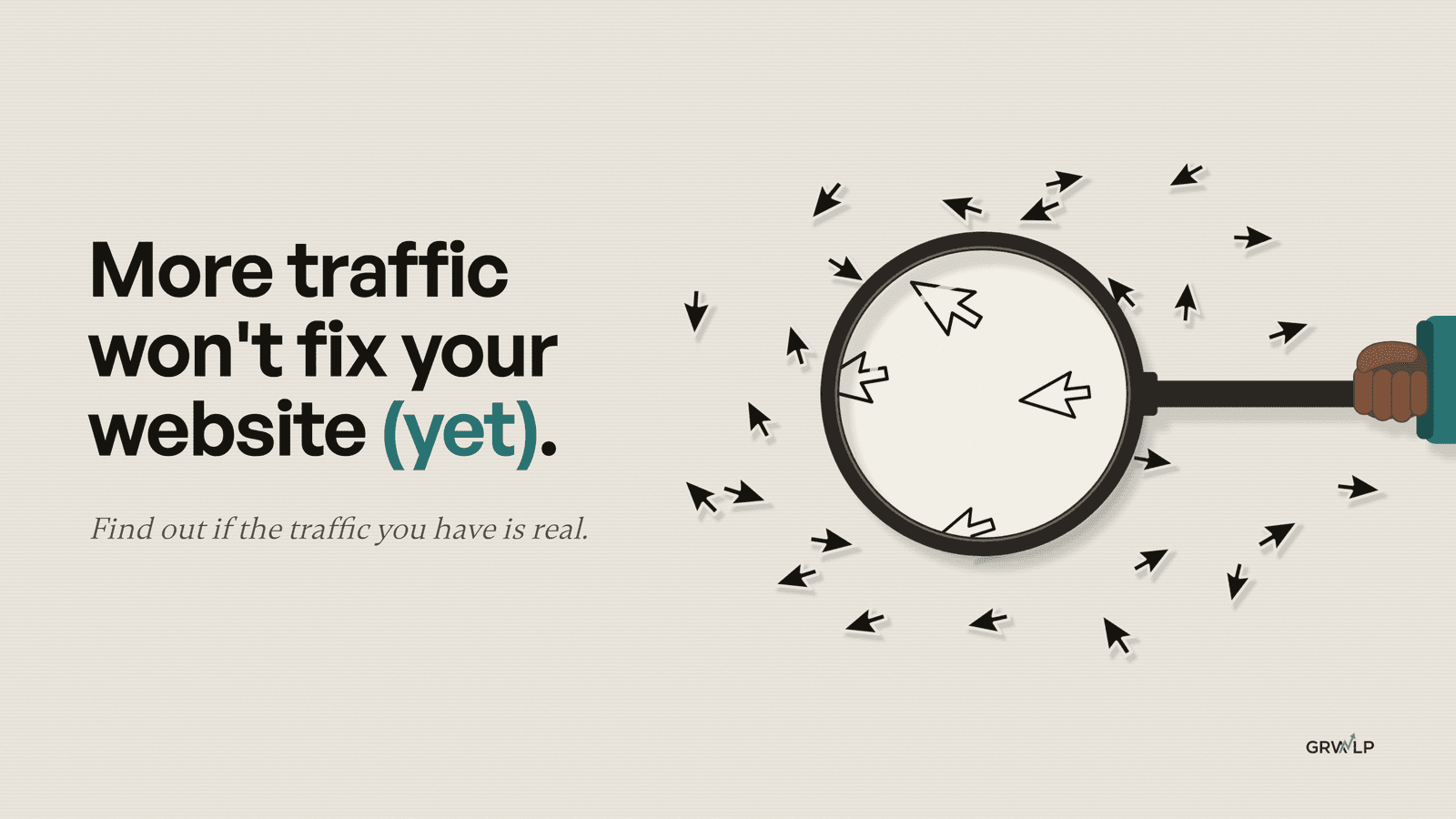
More Traffic Won't Fix Your Website (Yet)
Visitors but no sales? Before you pay for more traffic, run three free checks in Google Analytics to find out if your traffic is real.
TL;DR
More traffic won't fix a website that isn't selling if the traffic you have isn't real. Before you pay for more, run three checks: are your visitors people, is some of it you, and which number answers "should I spend more?" If all three are clean and sales are flat, fix what happens when people land.
One practical growth fix each week.
The Nothing After Six newsletter. Unsubscribe any time.
More traffic won't fix a website that isn't selling if the traffic you have isn't real. Before you pay for more, run three checks: are your visitors people, is some of it you, and which number answers "should I spend more?" If all three are clean and sales are flat, fix what happens when people land.
This is for founders with visitors and no sales. You open Google Analytics, the line is going up, and the bank account isn't. So the next move feels obvious: more ads, more SEO, more content.
Before you pay for more traffic, find out if the traffic you have is real.
Why does my website get traffic but no sales?
Often, because some of that traffic was never a customer to begin with. Some of your visitors aren't people. Some of them are you. And the number you're watching might not even answer the question you're asking.
I didn't come to this from theory. Last weekend I opened my own Google Analytics and found something embarrassing. Weeks ago I set up a filter to stop my own visits being counted. I made it, saw it saved, and moved on.
It was still sitting in Testing. Google never switched it on. So every time I opened my own site, I counted myself as a visitor.

That's my real screen, checked on 13 October 2026. The filter says Exclude. It excludes nothing.
Then I went looking for how common this is. I went through 540 comments under ten YouTube videos about website traffic and analytics, and 16 Reddit threads from founders. About 123 of those comments asked a question or said "I don't understand". Three questions kept coming back, and they rarely got a concrete answer:
- "Are these visitors even people?"
- "I made the fix and my numbers didn't change."
- "Traffic is up. Sales aren't."
It's the same problem three ways.
Does more traffic mean more business?
Not on its own. That's the belief this whole piece is about, and it's the one almost everybody starts with. When the number goes up, it feels like the business is going up. So you spend more on ads, more on SEO, more on content.
You can see it in the comments. Under one popular video on Shopify stores with traffic and no sales, one thread alone holds about 50 "same here" replies, with numbers like "262 visitors but no sales" and "1700 visits no sales". Under another on the same question, the creator's answer to one founder was "It's hard to say without checking it out."
That answer is honest. It's also where most advice stops. Every "traffic but no sales" video I read starts from the same place: the traffic is real, now convert it. Nobody checks the first part.
Traffic up and business up are two different numbers
One counts arrivals. The other counts money and real enquiries. They can move together, and they can move apart, and you only find out which by looking at both.
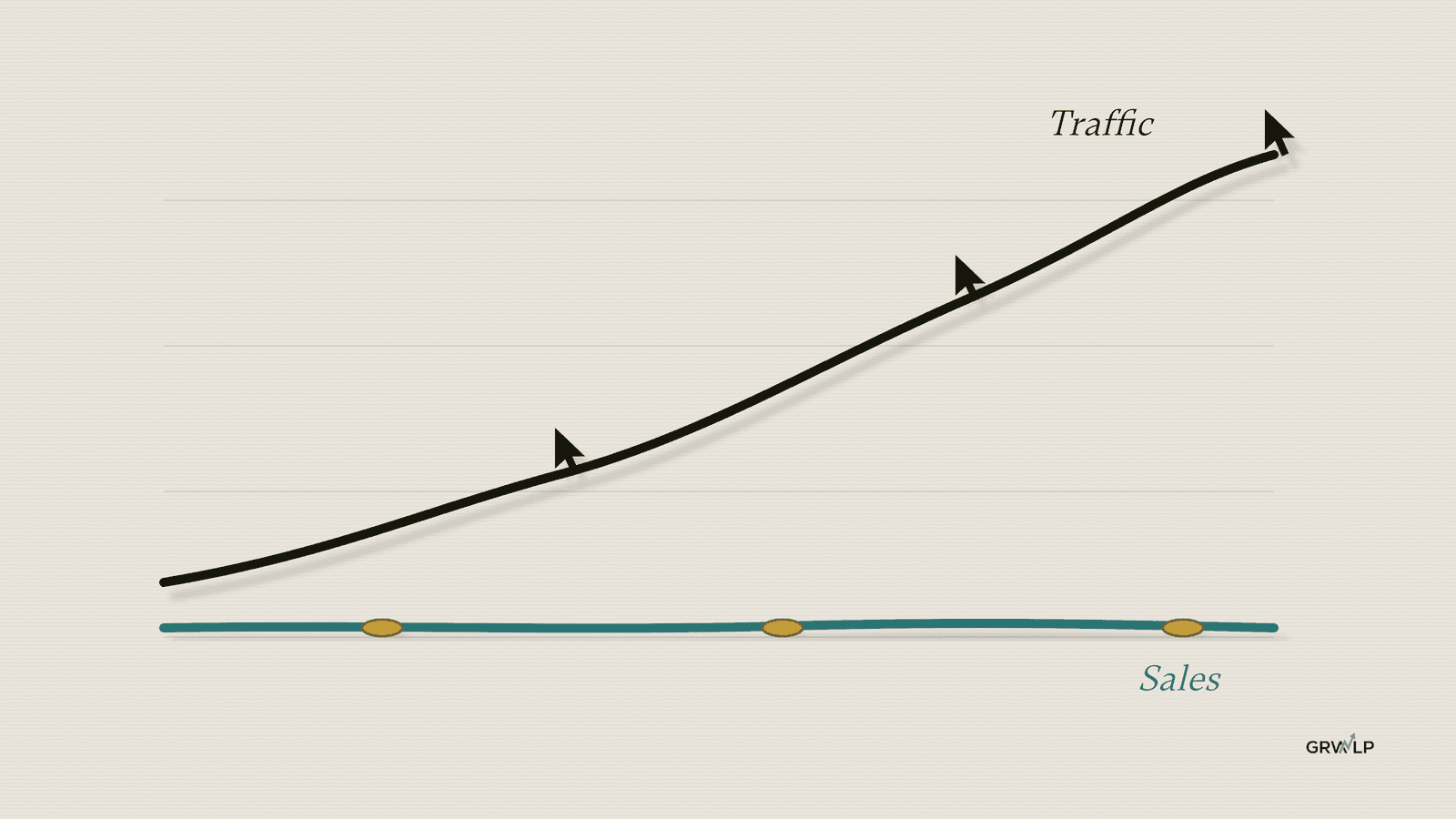
Here's the order I'd check them in. It costs nothing, and it all happens in tools you already have.
The three checks, in the order to run them
| Check | The question | Where you look |
|---|---|---|
| 1 | Are your visitors people? | Traffic acquisition, engagement columns |
| 2 | Is it you? | Admin, Data filters |
| 3 | Which number answers "should I spend more?" | Your ad accounts and your sales |
If you only have five minutes today, do Check 2. It's the one most people think they've already done.
Check 1: Are your visitors people?
Not all of them. Google Analytics already removes the bots it knows about, automatically. Google says you can't turn that off and you can't see how many it removed. So the bots left in your report are the ones it missed, and they don't look fake. Same pages. Same countries.

Don't judge them by where they come from. Judge them by what they do. Real people leave a pattern. They stay a little, click something, and some of them come back.
How do I check if my website visitors are real?
Open Google Analytics and go to Traffic acquisition. In many accounts it sits under Reports, then Acquisition. In others it sits under Business objectives, then Generate leads. If you can't find it, type "Traffic acquisition" into the search box at the top. Set the date to last month and read four columns: Sessions, Engagement rate, Average engagement time per session, and Key events (Google's guide to the report).
Google counts a session as engaged when it lasts longer than 10 seconds, has a key event, or has two or more page views (Google's definition). So engagement rate is the share of visits where someone did something.
A whole group with zero seconds and no clicks isn't interest. It probably isn't even people. Zero seconds, one page, all from one place, all at once is a spike, not an audience.
Should I block the country the bots come from?
Usually not as your first move. They tend to come back from somewhere else. In one Reddit thread from September 2026, a founder thought they'd "finally cracked the Singapore market". Then: "Almost zero engagement. No leads. No conversions." A commenter warned that once you block one country, the same traffic can turn up from residential addresses in America and Europe. Two people in that thread called country blocking useless.
So leave them out when you judge your site. Write down roughly how many sessions you don't trust, take them out of any "traffic is up" story, and count the visits that stayed.
One fair warning. A low engagement rate on its own isn't proof. Compare the odd group with the rest of your site. Real people from a country you don't sell to exist too. They just don't buy.
Check 2: Is it you?
Probably some of it. You, your team, whoever built your site and whoever runs your ads all count as visitors every time you open it. On a small site, that can be a big share of the number. There are two fixes. Do the first one today.
How do I stop Google Analytics counting my own visits?
Fix 1: the opt-out extension. Put Google's free Google Analytics Opt-out Add-on on your own computer's browser, and your visits stop counting. Google offers it for Chrome, Safari, Firefox and Edge. Ask your team and your site builder to install it too. It's built for desktop browsers, so it won't cover visits from your phone.
Fix 2: tell Google Analytics your office address. If you work from an office, give Google Analytics your office IP address (the public address of your internet connection; search "what is my IP" on the office Wi-Fi to find it). It builds a filter from it. Because the address belongs to the network, phones on the office Wi-Fi get caught too. Phones on mobile data don't.
Google's steps come in two parts. First you define the address: Admin, Data streams, your website's stream, Configure tag settings, Show more, Define internal traffic. Then you make the filter: Admin, Data filters, Create filter, Internal Traffic, Exclude.
Why did my internal traffic filter not work?
Because it's probably still in Testing. Here's the part almost nobody tells you. The filter starts in Testing, and Testing removes nothing. It only marks your visits. You have to switch it on yourself.
That was my screen. And it's what a whole lot of people run into. Under one of the best-known videos on this setup and one other, 9 commenters said their filter "doesn't work", still showed their visits, or asked how to check it was working. The creators didn't answer one of them.
They didn't do it wrong. They just didn't finish. There are three usual reasons the numbers don't move:
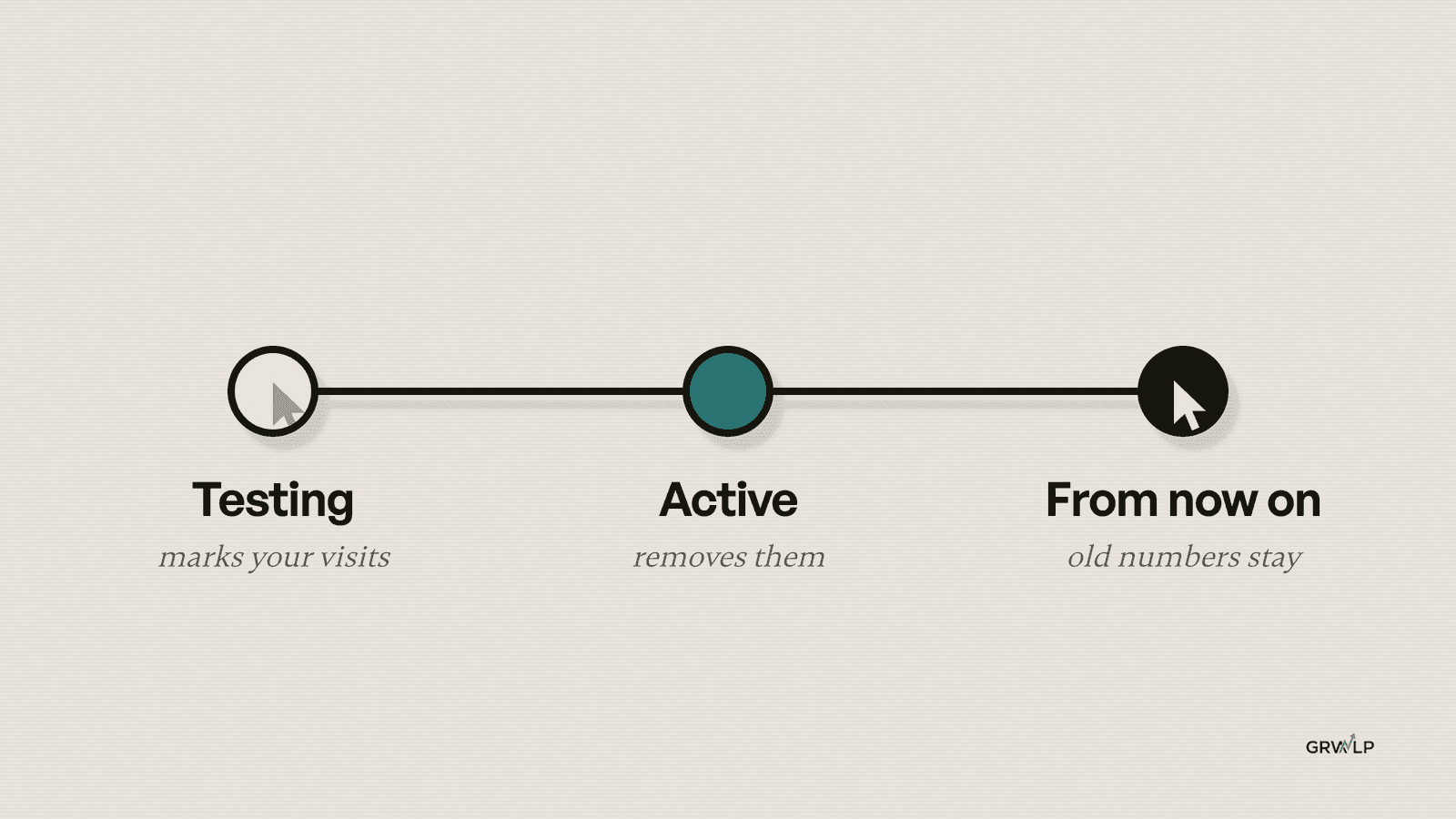
- It's still in Testing. Testing marks the traffic. Active removes it.
- It hasn't kicked in yet. Google says a filter can take 24 to 36 hours to apply.
- You're looking at old numbers. Filters only work from now on. In Google's words, "Data filters do not affect historical data." Your old numbers never change.
Is switching the filter to Active safe?
Yes, once you've checked it catches the right visits. Active is permanent: Google says the data it excludes is never processed and can't be brought back. So test first. Visit your own site from the office, wait a day, then open Explore, pick Free form, and add the dimension "Test data filter name". If your filter's name shows up with events next to it, it's catching you. Then switch it from Testing to Active.
Two more things slip through, so plan for them. Many home internet plans change your public address from time to time, so a rule for last month's address can miss you. And a VPN changes the address your visits come from. When that's you, lean on the extension.
Check 3: Which number answers "should I spend more?"
Sales, or real enquiries. Your ads count clicks. Analytics counts visits. Your store counts orders and money. They will never match, because they count different things.

Say your ads show 400 clicks, Analytics shows 260 visits and your store shows 3 orders. Most founders look at the first two and think the problem is traffic. It isn't.
Why don't my Google Ads clicks match my Google Analytics sessions?
Because they were never meant to. Google lists the reasons: one visit can hold two clicks, Google Ads filters out invalid clicks, and ad blockers or people leaving before the page loads stop the Analytics tag while the click still counts. If auto-tagging is off in your ad account, paid visits can show up as organic, direct or "(not set)". So check auto-tagging is on, then stop comparing the two.
How do I know if I should spend more on ads?
Compare last month's spend with last month's sales. Write down three numbers for last month, and the same three for the month before:
- Ad spend, all platforms added up, from the ad accounts.
- Orders and money, or real enquiries you can name, from your till, your store or your inbox. Not from Analytics.
- Visits, from Traffic acquisition.
If more spend brought more visits but the same sales, more traffic won't fix it. Fix what happens after people land first. If more spend brought more sales, that's your sign to actually spend more.
If most of your sales happen on WhatsApp, by phone or in person, Analytics can't see them. Count them by hand. And if you don't know last month's sales, that's the finding. Start counting this week. A simple monthly report built around sales, not visits, makes this a five-minute job.
All three are clean and sales are still flat. Now what?
Then it's what happens when people land, and that you can fix. The visitors are real, they aren't you, and you're reading the right number. The problem isn't the traffic. It's the page, the offer, the form, the price or the follow-up.
Start with your busiest landing page. You'll find it in the Landing page report (Google's guide). Read it the way a stranger would. Is it clear what you sell, who it's for and what to do next? Is the contact form or the buy button easy to find on a phone? Then count real enquiries by hand for a week. A form that never reaches your inbox is a bigger leak than any traffic number.
I've written more on both: why a website stops producing leads and how to raise your conversion rate. And if you do go back to ads afterwards, this is what to fix first.
Get the three checks as a free guide
I put all three checks into a free guide, The Traffic Reality Check. It's a step-by-step document with every menu path, plus an AI skill you can load into Claude or ChatGPT that walks you through it. If you want one fix like this every week, small enough to do in one sitting, that's what Nothing After Six is.
And if you'd rather go through your numbers with me, book a free 30-minute call. We'll look at what your three checks found, and any other problems you might have.
Traffic up isn't business up. Check first. Then spend.
“Traffic up and business up are two different numbers.”
Written by Oyekola Obajuwon
website traffic but no sales · is my website traffic real · bot traffic google analytics · exclude internal traffic ga4 · ga4 data filter testing active · ad clicks vs analytics sessions