How do I automate onboarding for a new client?
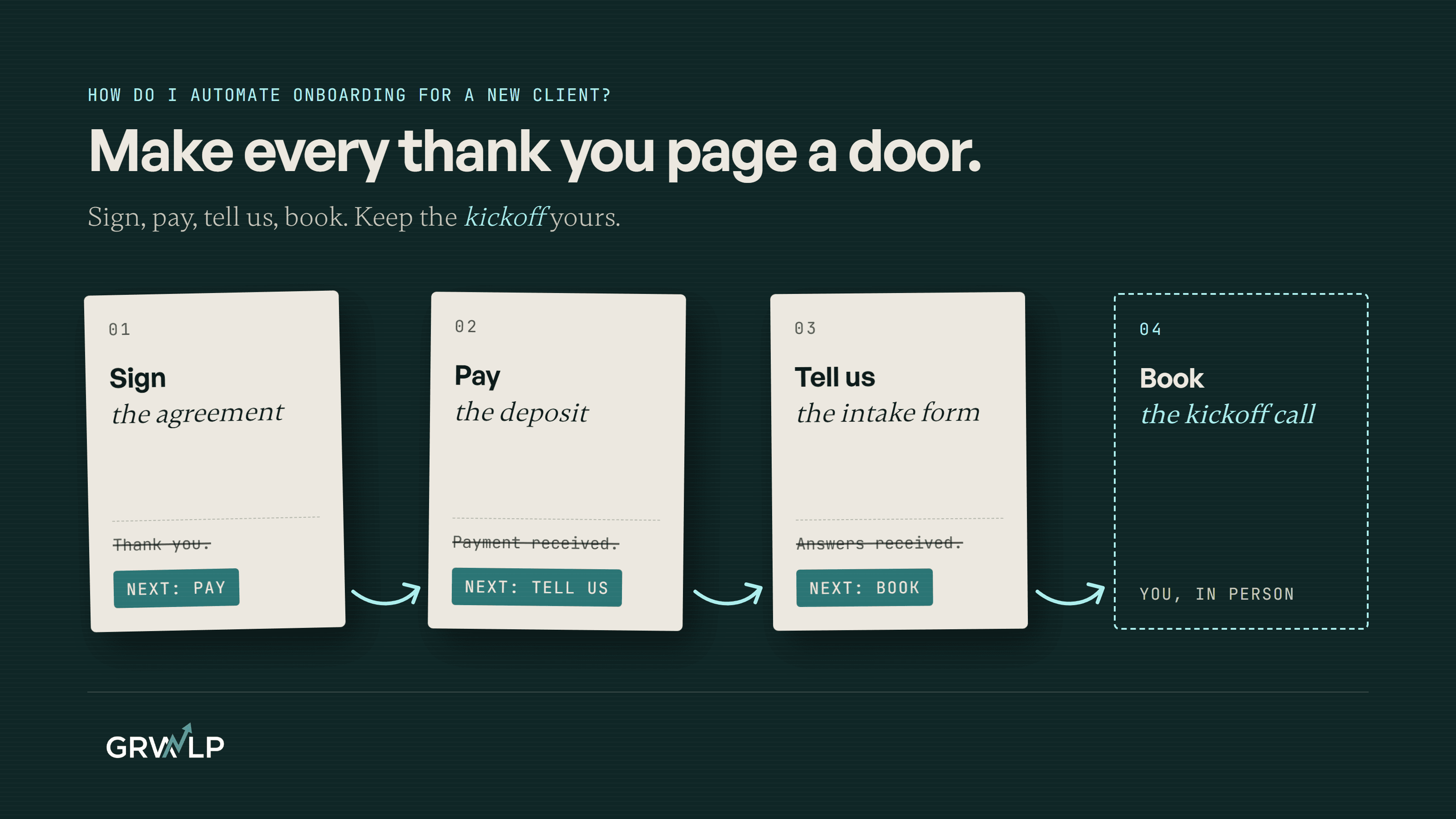
Chain the steps so finishing one opens the next: sign, pay, answer the intake form, book the kickoff. Keep the kickoff call yours.
TL;DR
Chain the steps so finishing one opens the next. The client signs, pays the deposit, and the payment page sends them straight to your intake form, which sends them to your calendar to book the kickoff. Most payment and form tools already have this redirect setting. Keep the kickoff call yours.
Last updated 5 November 2026. Written by Oyekola Obajuwon, founder of Growveloper, a growth studio that builds the website, the marketing and the automation for owner run businesses in the United States, the United Kingdom and Nigeria.
Chain the steps so finishing one opens the next. The client signs, pays the deposit, and the payment page sends them straight to your intake form, which sends them to your calendar to book the kickoff. Most payment and form tools already have this redirect setting. Keep the kickoff call yours.
That is the whole trick, and it is less automation than people expect. The week you lose after a client says yes is not lost to hard work. It is lost to waiting: for the signature, then the money, then the answers, then a time that suits you both. Each wait starts when one step ends and nobody tells the client what is next.
What can I automate when a new client says yes?
Everything between the yes and the first real conversation. Zapier's client onboarding checklist breaks onboarding into six areas: welcome documents, legal, getting paid, communication, a project plan and sharing work. For a small service business, four of them carry the waiting, and all four can move on their own:
- The agreement, signed online.
- The deposit, paid by link.
- The intake form, the questions you need answered before work starts.
- The kickoff call, booked by the client from your calendar.
What does not belong on that list is the yes itself, the price, and the first conversation. Those stay with you.
How do I chain the steps so the client never waits on me?
Make every finish line the next starting line. Most tools end a step with a thank you message, and a thank you message is a dead end: the client reads it, closes the tab and waits for your email. Every thank you page in your onboarding is a dead end or a door. Make it a door.
The onboarding chain, and what moves the client to the next step
| Step | What moves them on | Tools that do it |
|---|---|---|
| Sign the agreement | You send the link with your welcome note | Any e-signature tool |
| Pay the deposit | The payment page redirects to the form | Stripe Payment Links, Paystack Payment Pages |
| Answer the intake form | The form redirects to your calendar | Tally, free |
| Book the kickoff | The booking confirms by email | Cal.com, Calendly |
The deposit page opens the form
Stripe's Payment Links let you skip the confirmation screen: "You can also choose to redirect your customers to your website instead of providing a confirmation page." Point it at your intake form. In Lagos, Paystack's Payment Pages do the same job in naira; its own documentation says: "If you would like Paystack to redirect someplace upon successful payment, specify the URL here."
The form opens the calendar
Tally sends people onward when they submit, and says plainly that "Redirect on completion is free to use for all Tally users." It can also pass the answers along in the link, so the next page already knows who they are.
The calendar already knows their name
Cal.com fills in the booking form from the link, and the details it can carry, in its words, "can include the user’s name and email". The client lands on your calendar with their name already typed. They pick a time, and the booking confirmation is the last automatic message they get from you.
If you use Calendly, check your plan first. Its page on redirecting after a booking lists Professional, Standard and the team plans, and not the free one. For this chain you only need the booking to be the last link, so the free plan still works.
What order should onboarding go in?
Signed, then paid, then asked, then booked. Two rules decide that order.
Nothing starts before the deposit
If the intake form comes first, you can spend an evening reading answers from a client who never pays. Put the money before the questions and every form you read belongs to a paying client.
Ask only what you do not already know
By the time someone signs, you already have their name, email, business and what they asked for, from the enquiry and the quote. Asking again tells them nobody read the first message. The intake form is for what the work needs that you could not have known yet: logins, brand files, who signs off, the one result that would make this a good month. If you automated your quotes, most of the first set is already sitting in that record.
Do I need Zapier or an automation tool for this?
Not for the first version. The redirects above carry the client from step to step with no tool in the middle. What they do not do is the work on your side: making the client folder, adding them to your records, putting the job on your task list.
That is where a connector earns its place. Stripe's own payment link page names Zapier as a way to automate what happens after a payment, and Zapier's checklist gives the same advice I would: automate one step, then expand. When the deposit, the form and the booking have to update one shared record of the client, connecting your website, WhatsApp, your CRM and your calendar is the next job, and Zapier or a custom integration covers which way to wire it.
What should stay human?
Three things. The yes, because a proposal that sends itself before you have read the brief is how you win the wrong client. The welcome note that carries the first link, because two lines in your own words, on email or on WhatsApp if that is where the client talks to you, set the tone for the whole job. And the kickoff call, which is the point of the chain: everything before it runs on its own so that you arrive at that call with the money in, the answers read and nothing left to chase.
The same goes after the kickoff. Invoices can remind themselves. The first week's check-in should come from you.
What did building onboarding into a platform teach me?
That onboarding is a question of order. I built RideOn Nigeria's four portal platform alone. It ran identity checks, KYC, short for know your customer, through Dojah, and role based access was checked at four layers, so each person saw only what their role allowed. The owner ran the whole operation from Canada. You can read how that build went.
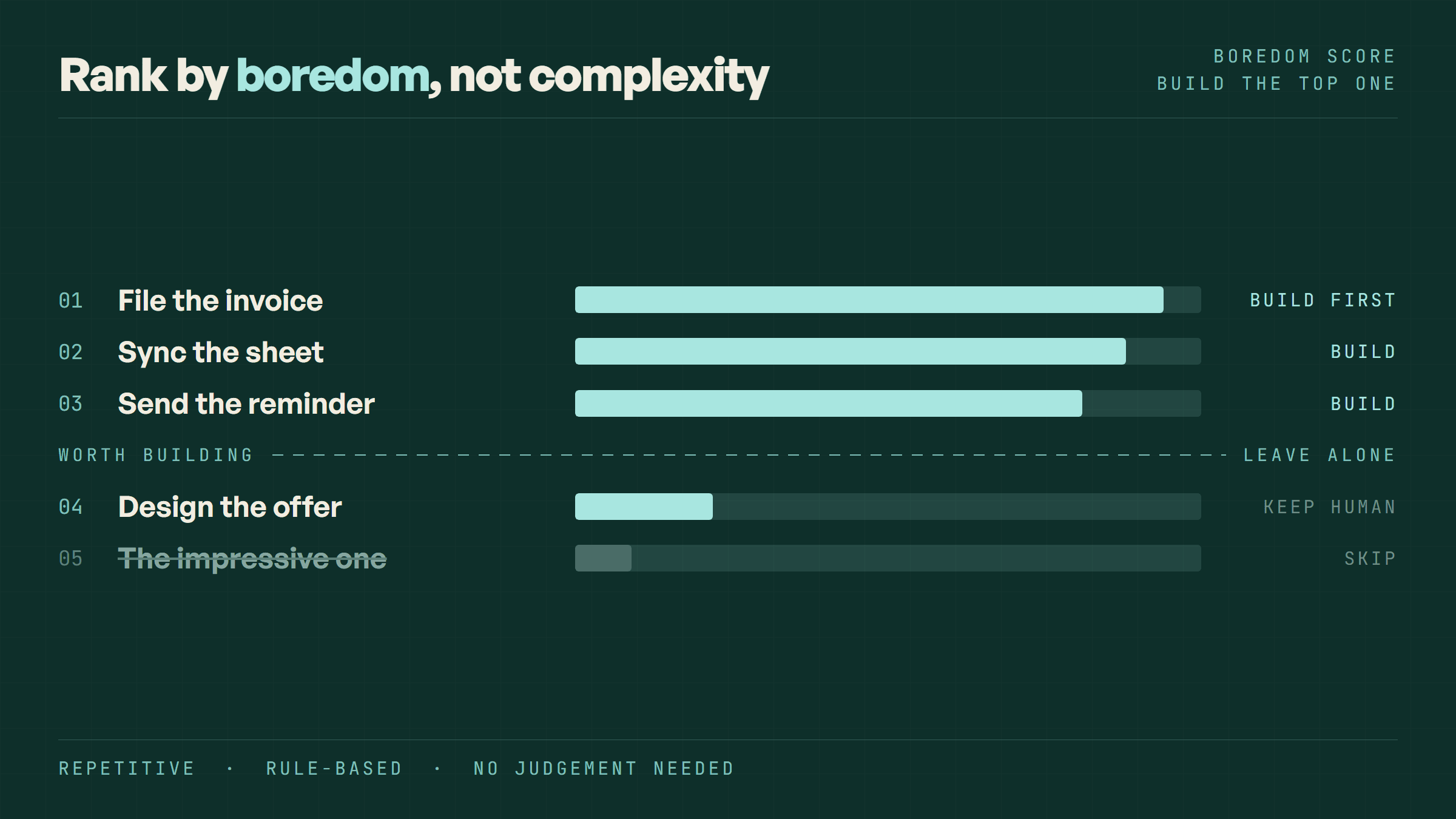
That was drivers and riders joining a platform, not clients joining a service business, and I will not pretend it was the same job. But the lesson carries. Before writing any automation, I wrote down what had to be true before the next door opened. For a client that list is short: signed, paid, answered, booked. Write yours on paper before you touch a tool. If you are not sure what to automate first across the whole business, start with what bores you most.
How long does it take to set up?
The four link chain is an afternoon: one payment link, one form, one booking page, and the redirect setting on each. Test it by paying your own deposit from your phone and walking through every step as the client would. A wider setup that also files the client, updates your records and starts the project plan is a proper build. On the AI and automation work I do, a workflow like that is live in one to four weeks.
If you would rather talk it through, book a free 30-minute call, no pitch, and 20% off if we build, at cal.com/growveloper/30. It is the same kind of booking page this article describes.
Let the links carry the paperwork. Be there for the hello.
“Every thank you page in your onboarding is a dead end or a door. Make it a door.”
Written by Oyekola Obajuwon
automate client onboarding · client onboarding automation · new client onboarding small business · client intake form · onboarding workflow · Paystack payment page · Stripe payment link